
The help desk is an authentication system, and nobody designed it that way
A password reset goes like this almost everywhere. Someone calls. They say who they are. They answer a question or two — an employee number, a manager’s name, a date of birth, something on the internal wiki or in a LinkedIn profile. The person on the phone resets the password and reads out a temporary one.
That process is an authentication decision, made in a few seconds, by someone who is measured on how quickly they close tickets, with no way to verify anything they were told.
It is also one of the most reliably exploited routes into a large organisation. An attacker who already has a username doesn’t need a vulnerability if they can be convincing for ninety seconds. It scales badly for defenders and well for attackers: there’s no patch for it, no signature, and the person who was deceived did the job they were trained to do.
The volume makes it worse rather than better. A team handling dozens of resets a week can’t treat each one as a security event, because then nothing else gets done.
The control isn’t a better script for the person on the phone. It’s not having a person on the phone.
How it works
The check is the same one that protects the login
- The user opens the portal and says who they are.
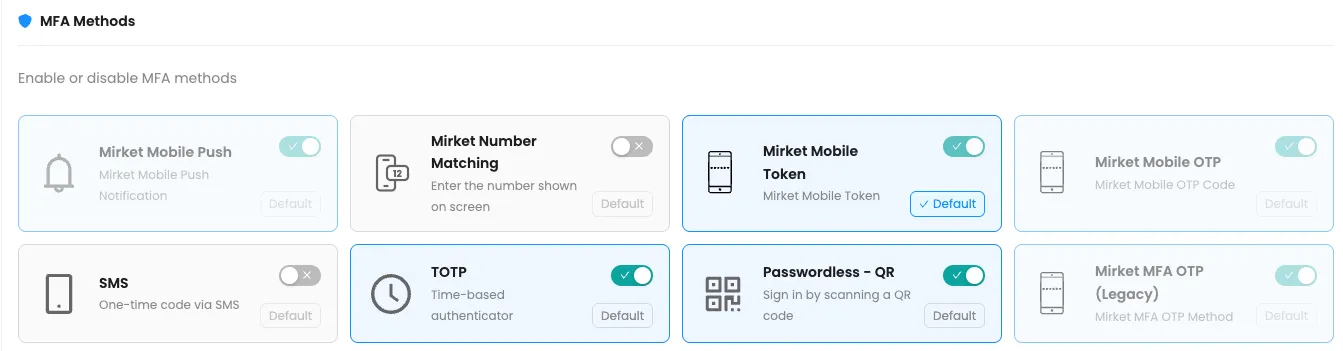
- Mirket challenges them with a second factor — push, a code from the app, TOTP, SMS, or whichever methods you’ve allowed. A security question can be required as an additional step, not as the whole check.
- If it passes, they set a new password against your policy — or unlock the account, or enrol a replacement phone.
- The change is written to the directory, and the event is logged like any other.
The person doing the reset is the same person who holds the enrolled device. There is nobody to persuade, nobody to rush, and no judgment call to get wrong at 4pm on a Friday.
And when the phone itself is what’s lost
This is the first question a security architect asks about any self-service portal, and it deserves a straight answer rather than a diagram.
Replacing a phone the user still has isn’t the hard case. A backup QR code moves every enrolled account onto the new handset in one scan, and it never reaches the help desk.
The hard case is the phone that’s gone, because the thing that would normally prove who they are went with it. That path has to exist, and it must not quietly turn back into the phone call this page is about removing.
Mirket makes it a configuration decision rather than a fixed flow, and that is deliberate — the right answer for a bank’s treasury team is not the right answer for a retailer’s seasonal staff. Three mechanisms are available, and you choose which are sufficient on their own and which have to be combined:

| Time-limited enrolment link | Sent to the user’s mailbox, with a validity period you set. It proves control of the corporate account, which is not nothing — and is not everything |
| Personal security questions | Answered in the portal, as a second thing to hold rather than as the whole check |
| Administrator-issued link | The deliberate fallback: a named person authorises the re-enrolment, and the fact that they did is in the log |
The trade-off is worth stating plainly, because it is the same for every product in this category: a recovery path is only as strong as whatever it accepts in place of the device. Requiring two of the three rather than one is the difference between a recovery path and a bypass — and because it’s configuration, you can hold the finance team to a stricter path than the warehouse without running two products.
And the ticket doesn’t exist. Password resets and lockouts are consistently the largest category of service-desk volume in organisations of every size. This removes the category rather than making it faster.
Detection
A failed reset is a signal worth reading
A reset attempt that clears the username step and then repeatedly fails the second factor is a useful security signal: somebody has a valid username and cannot produce the device that goes with it.
On its own it isn’t proof of anything. A phone runs out of battery, a push gets dismissed by accident, a code is typed wrong, an old handset is still in someone’s pocket. Treated as an alert in isolation, it generates noise and gets muted — which is the worst outcome.
It becomes strong when it has company. Repeated attempts on one account, attempts arriving from an unexpected source, or the same source working through several accounts in sequence: that pattern has far fewer innocent explanations than any single failure does. Forward it to your log platform as a pattern rule rather than an event rule, and it earns its place.
Capabilities
| Self-service password reset | A forgotten directory password is reset by the user after passing MFA |
| Self-service account unlock | A locked-out account is unlocked by the user once identity is verified — without a reset, which is what people actually need most of the time |
| Personal security questions | Can be required as an additional step in the recovery path, alongside the second factor rather than instead of it |
| Self-service MFA enrolment | Users register, replace and remove their own methods and devices — the new-phone problem stops being a ticket |
| My Devices | A user approves their own new ActiveSync device instead of waiting for an administrator |
| Password policy enforcement | Your own rules on length and character types, applied at the moment a password is set — so a self-service reset can’t produce a password the policy would have rejected |
| Forbidden password list | Predictable and organisation-specific strings — the company name, the current year, the city — are rejected outright. This is the control that stops a password from passing the complexity rules and still being the first thing anybody would guess |
| Password expiry reminders | Users are warned a configurable number of days ahead, then reminded daily. This is the setting that reduces lockouts at source rather than handling them faster |
| Configurable methods and default | The administrator chooses which methods appear in the portal and which one is offered first |
| User expiration management | An account is given an expiry date and is disabled automatically when it passes |
| Your wording, your language | Notification and enrolment emails are rewritten to match how your organisation actually writes |
See the reset path on your own directory
A technical demo that walks the delegated permissions, the portal your people would use, and the reset, unlock and re-enrolment paths end to end.

What the security team asks first
It does not need a domain administrator account
This is the question the security team asks in the first meeting, and for good reason. A product that resets passwords across the directory is asking for a lot of trust, and the usual answer — “it needs domain admin” — turns the tool into the most privileged thing in the environment. Plenty of deployments stall right there.
Mirket runs on a small set of delegated Active Directory rights, scoped to the organisational units you choose:
| Permission | Type |
|---|---|
| Reset password | Control Access — extended right |
pwdLastSet | Read + Write |
userAccountControl | Write |
lockoutTime | Read + Write |
Delegated through ADUC, or set directly:
dsacls "OU=SALES,DC=example,DC=local" /I:S /G "EXAMPLE\mirket:CA;Reset password;user"
dsacls "OU=SALES,DC=example,DC=local" /I:S /G "EXAMPLE\mirket:WP;pwdLastSet;user"
dsacls "OU=SALES,DC=example,DC=local" /I:S /G "EXAMPLE\mirket:RP;pwdLastSet;user"
dsacls "OU=SALES,DC=example,DC=local" /I:S /G "EXAMPLE\mirket:WP;userAccountControl;user"
dsacls "OU=SALES,DC=example,DC=local" /I:S /G "EXAMPLE\mirket:RP;lockoutTime;user"
dsacls "OU=SALES,DC=example,DC=local" /I:S /G "EXAMPLE\mirket:WP;lockoutTime;user"
What that buys you: delegated this way, the service account can reset a password and clear a lockout on user objects inside the OUs you named. It holds no privileged group membership, and it is granted nothing over mailboxes, file shares or domain configuration — the rights above are the only ones it has. As with any Active Directory delegation, the scope is only as tight as the OU structure and inheritance you apply it to, which is worth reviewing once rather than assuming.
/I:S applies the right to user objects inside the OU rather than to the OU itself — which is the part people get wrong on the first attempt, because without it the delegation looks applied and doesn’t work.
The second question is adoption, and it’s answered before go-live
A self-service portal nobody knows about produces the same number of calls as before, plus a project that gets written off.
Successful adoption starts before go-live. People have to know the portal exists and have to be enrolled in it before the morning they’re locked out — telling them at the moment of the problem is too late, and they’ll phone. Two things carry most of the weight: enrol people before you need them — the portal is where they register their phone, so enrolment can ride along with the MFA rollout you’re already doing — and use the expiry reminder, because the reset that never becomes urgent is the one people do calmly, in the portal, at their own desk. Neither removes the need to tell people what’s changing; they just make the telling easy.
Audit and compliance
Compliance isn’t something a product hands you. These are the clauses credential recovery gets read against, and what this puts on the table for each.
PCI DSS v4.x
Req. 8.3.5Passwords are set and reset to a unique value, and changed immediately after first use. A self-service reset writes a value the user chooses against policy — there is no temporary password read out over a phone for anyone to overhear or reuse
PCI DSS v4.x
Req. 8.3.6Minimum password strength. Policy enforcement applies at the moment the password is set, and the forbidden list rejects the predictable strings that satisfy a complexity rule without being any harder to guess
ISO/IEC 27001:2022
A.5.17Allocation and management of authentication information, including how it is reissued when somebody loses it — which is exactly the recovery path described above
NIST SP 800-63B
Sets out what has to be proven before a lost authenticator is replaced, rather than treating re-enrolment as an administrative task. Binding a replacement to a verified factor, and logging who authorised it, is what the guidance is asking for
GDPR
Art. 32Access control over personal data, including the recovery path into it
Deployment
Both. The module is identical in each.
On-premise, on your own servers, or as a service. Either way the directory service account described above is configured on an agent inside your network rather than in a console — so the delegated rights you just granted stay under your control.
If Mirket Portal is already running for MFA or SSO, Secure Self-Service is a module on it — not a second server and not a second console.
Nothing is installed on user machines. The portal is a web page.
Counted by defined users. Reset and unlock tickets are usually worth measuring on your own service-desk numbers; see our method for calculating savings.